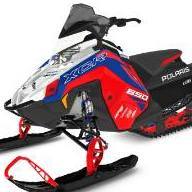
Doug Posted December 13, 2023 Share Posted December 13, 2023 See Polaris has come out with a windshield mounted headlight for $499.00. The headlight on the Maytrx is fine but still say the headlight on the Axys was better. Now Polaris and other manufacturers are coming out with light kits to blast light on the trail and if you don't turn them off with oncoming sleds will blind the oncoming riders. Just give us a decent headlight. Reminds me of the 80's 4x4 light bars 1 1 Quote Link to comment Share on other sites More sharing options...
Bontz Posted December 13, 2023 Share Posted December 13, 2023 Why they can't figure out a way to go back to the AXYS light, which worked extremely well, is beyond me. Well, they're making a pile of $$$$ with these accessory lights, so that's why ... but still, it's ridiculous. 1 Quote Link to comment Share on other sites More sharing options...
Mag6240 Posted December 13, 2023 Share Posted December 13, 2023 The light itself looks like the teeth of the Alien getting ready to chew up what ever is in its way… Quote Link to comment Share on other sites More sharing options...

Recommended Posts
Join the conversation
You can post now and register later. If you have an account, sign in now to post with your account.
Note: Your post will require moderator approval before it will be visible.