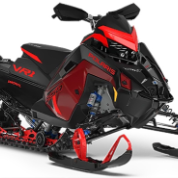
Bontz Posted November 18, 2023 Share Posted November 18, 2023 (edited) I picked this bag up a year ago, but never used it because I opted to go with a different setup. The bag was only taken out of the box to put it on my sled for pictures. $200 OBO Thanks! Edited November 22, 2023 by Bontz Removed shipping cost Quote Link to comment Share on other sites More sharing options...
Bontz Posted November 27, 2023 Author Share Posted November 27, 2023 Sale pending Quote Link to comment Share on other sites More sharing options...
Bontz Posted November 29, 2023 Author Share Posted November 29, 2023 Sold Quote Link to comment Share on other sites More sharing options...


Recommended Posts
Join the conversation
You can post now and register later. If you have an account, sign in now to post with your account.
Note: Your post will require moderator approval before it will be visible.